Tactile Control Protocol: Stream Deck Plus for Workflows
Power Digital Media
Hardware Authority
Executive Summary
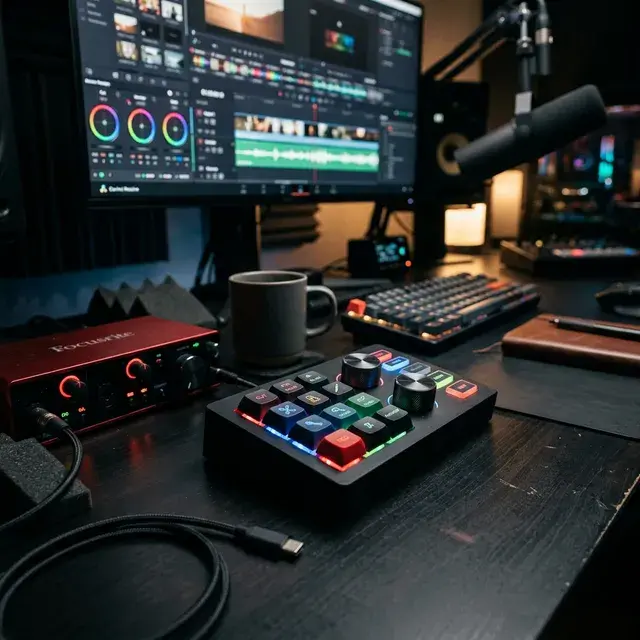
The Elgato Stream Deck+ and Focusrite Scarlett interfaces replace slow, mouse-driven workflows with high-velocity physical control surfaces. By mapping complex software macros to tactile dials, producers achieve zero-latency execution during live broadcasts and intense editing sessions.
TL;DR — Direct Answer Block The Tactile Control Protocol emphasizes moving software commands to physical interfaces to maintain velocity in complex production environments.
- Implication 1: Physical dials reduce context switching, allowing rapid adjustments in software like OBS Studio without interrupting the active operation.
- Implication 2: Audio interfaces with intelligent gain protect tracked recordings from irreversible clipping.
- Implication 3: Mouse-driven workflows for multi-track audio and video are inefficient and prone to mistimed execution.
At Power Digital Media, operating from our headquarters in Jackson, Mississippi, velocity is our primary metric. Keyboard shortcuts are a baseline; dedicated physical hardware is the upgrade. Local Jackson, MS studios attempting to execute complex live broadcasts or intense editing sessions require macro pads and tactical audio interfaces. This dossier highlights the hardware arrays that eliminate friction from digital environments.
Operating sophisticated control surfaces only matters if your foundational business strategy is solid. Maximize the output of your high-speed workflow by implementing an AI search citation protocol, ensuring the content you rapidly edit is indexed by language models. We strongly recommend deploying a data-driven SEO audit strategy to map out structural improvements for your web presence alongside your hardware upgrades.
Why do video editors use macro pads?
Macro pads string together multiple software commands into a single physical keystroke. Elgato's documentation on multi-action workflows demonstrates how an editor can apply a LUT, adjust timeline scale, and trigger an export simultaneously, significantly compressing delivery timelines.
What does the Elgato Stream Deck+ add over the standard model?
The addition of infinite rotary encoders allows for granular manipulation of continuous variables. Instead of repeatedly tapping a digital volume or timeline zoom button, the user rotates a physical dial for immediate, analog-style feedback.
How does auto-gain work on modern audio interfaces?
Devices like the Focusrite Scarlett 2i2 (4th Gen) monitor ten seconds of input performance and automatically adjust the preamp structure to provide optimal headroom, eliminating manual clipping errors.
Can tactile controllers interact with API endpoints?
Yes. Protocols allow modern macro pads to execute HTTP requests, enabling the control of studio lighting, triggering server deployments, or launching external automation scripts directly from the desk.
Are physical faders necessary for podcast mixing?
While software mixing is possible, physical faders provide zero-latency adjustment capabilities when managing multiple guests, preventing unexpected loudness spikes before they hit the master bus.
The Power Digital Media Action Checklist
- Map your most frequently used software functions to physical designated keys on the Stream Deck.
- Configure multi-action macros to handle repetitive setup tasks like launching software and arranging windows.
- Utilize tactile dials specifically for timeline scrubbing and fine audio volume control.
- Test your interface's auto-gain functionality with the loudest projected input signal to verify headroom.
- Route separate audio applications to discrete physical dials using virtual audio mixing software.
Executive FAQ
Does the Elgato Stream Deck+ support physical dial manipulation for Adobe Premiere? Yes, the rotary dials can be mapped to control timeline scrubbing, color grading wheels, and audio track volume within Adobe Premiere via specialized plugins.
What is the advantage of the Focusrite Scarlett 2i2's Clip Safe feature? The Clip Safe feature actively monitors audio levels up to 96,000 times a second and automatically lowers the gain to prevent digital distortion on sudden loud vocal takes.
Can the OBSBOT Tiny 2 be controlled via external macro pads? Yes, the OBSBOT Tiny 2's PTZ functions and preset camera angles can be triggered via keyboard shortcuts or mapped directly to macro pads like the Stream Deck for instantaneous angle switches.
Begin Your Digital Legacy.
Our team is ready to help you implement these strategies and build a brand that lasts.
Schedule A Free Consultation